
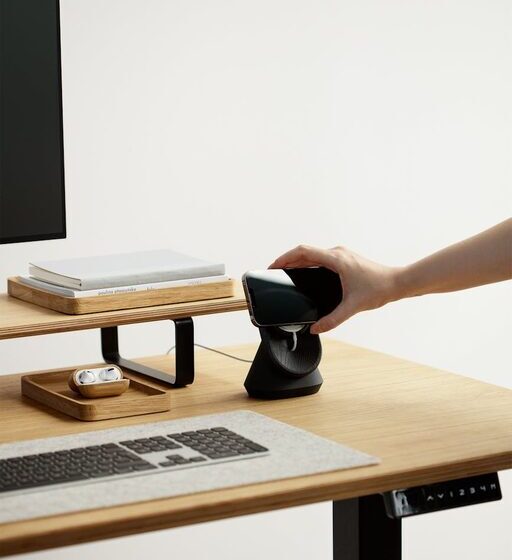

Creating a home office that is both comfortable and productive can make a significant difference in how you work and feel throughout the day. Whether you are new to working from home or want to improve your existing space, this guide offers practical tips to help you design an environment that supports your daily tasks and well-being.
Why a Comfortable Home Office Matters
Working from home has become increasingly common, making it essential to have a designated area that promotes focus and reduces stress. A well-organized and comfortable office helps you maintain professional habits, avoid distractions, and reduce physical discomfort.
Choosing the Right Location
Find a Quiet Spot
Select a space away from household noise and interruptions. If possible, pick a room where you can close the door to signal work time to others.
Consider Natural Light
Natural light boosts mood and energy. Position your desk near a window, but avoid glare on your screen by adjusting blinds or using curtains.
Ergonomic Furniture and Setup
Invest in a Good Chair
A supportive office chair reduces back pain and promotes good posture. Look for adjustable features such as height, lumbar support, and armrests.
Desk Height and Monitor Placement
Your desk should allow your arms to rest comfortably with elbows at about 90 degrees. Place the monitor at eye level about an arm’s length away to avoid neck strain.
Keyboard and Mouse Position
Keep your keyboard and mouse close to avoid overreaching. Consider ergonomic alternatives like split keyboards or vertical mice if you experience discomfort.
Organizing Your Workspace
Keep Essentials Within Reach
Organize frequently used items like pens, notebooks, or chargers close to your desk to minimize disruptions.
Use Storage Solutions
Shelves, drawers, and organizers help reduce clutter, making the workspace visually clean and easier to maintain.
Cable Management
Tidy cables with clips or sleeves to prevent tangling and accidents, creating a safer and more pleasant workspace.
Lighting and Ambience
Combine Natural and Artificial Light
Supplement natural light with adjustable desk or floor lamps. Use warm light bulbs to create a cozy atmosphere, especially in the early morning or evening.
Reduce Screen Glare
Position lights so they do not reflect on your computer screen. Consider using an anti-glare screen protector if needed.
Minimizing Distractions
Set Boundaries
Communicate your work hours to family or housemates to reduce interruptions.
Use Noise-Cancelling Headphones
These can help block out background noise, especially if your workspace is not entirely separate from living areas.
Digital Focus Tools
Apps and browser extensions that block distracting websites can improve concentration during work hours.
Personalising Your Space
Add Plants
Houseplants increase air quality and create a calming environment.
Decorate Thoughtfully
Add personal items like photos or artwork that inspire you but avoid over-cluttering to maintain focus.
Maintain a Comfortable Temperature
Make sure your office space is well-ventilated and at a comfortable temperature to stay alert and comfortable.
Establishing Routines
Regular Breaks
Take short breaks to stretch and rest your eyes. The Pomodoro technique, which involves working for 25 minutes followed by a 5-minute break, is a popular method.
Clear Start and End Times
Having set hours helps you separate work and personal life, reducing burnout.
Daily Planning
Use to-do lists or planners to organise tasks, helping manage priorities and reduce stress.
Technology Essentials
Reliable Internet Connection
Ensure your internet is fast and stable for smooth video calls and file transfers.
Quality Equipment
Use a good-quality microphone and webcam if virtual meetings are part of your routine.
Backup Power
Consider a battery backup or surge protector to keep your equipment safe during outages.
Conclusion
Creating a comfortable and productive home office doesn’t require a huge investment or a complete overhaul. Small changes like better lighting, ergonomic furniture, organisation, and routines can make a big impact. By designing your workspace thoughtfully, you can improve your work efficiency and enjoy a healthier, more balanced remote work life.